


Page 79 - Code Craft Computer-7
P. 79
ANTIVIRUS SOFTWARE

            Antivirus software works by examining files and looks for known viruses by means of a virus
            dictionary. It also identifies suspicious behaviour from any computer program which might not be
            normal and indicate infection.

            When you switch on the computer, it starts automatically. It works in different ways.

            •  On-Access Scanning : Antivirus software runs in the background on your computer, checking
               every file you open. It scans any device attached to the computer or any file which is being
               opened or downloaded from the Internet.

            •  Full System Scans : Most antivirus programs ask you to set up scheduled full system scans,
               often once a week. This ensures that the updated antivirus program files are used to scan your
               system for dormant viruses.

            •  Virus  Definitions  :  Your  antivirus  software  relies  on
               virus  definitions  to  detect  malware.  It  automatically
               downloads  new  and  updated  definition  files.  These
               definition  files  contain  signatures  or  information  of
               viruses  and  other  malware.  In  case  your  computer  is
               infected with a virus, the antivirus software will try to
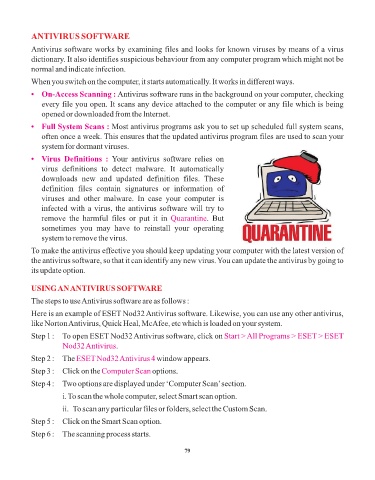
               remove  the  harmful  files  or  put  it  in  Quarantine .  But
               sometimes  you  may  have  to  reinstall  your  operating

               system to remove the virus.
            To make the antivirus effective you should keep updating your computer with the latest version of

            the antivirus software, so that it can identify any new virus. You can update the antivirus by going to
            its update option.


            USING AN ANTIVIRUS SOFTWARE
            The steps to use Antivirus software are as follows :

            Here is an example of ESET Nod32 Antivirus software. Likewise, you can use any other antivirus,
            like Norton Antivirus, Quick Heal, McAfee, etc which is loaded on your system.

            Step 1 :   To open ESET Nod32 Antivirus software, click on Start > All Programs > ESET > ESET
                       Nod32 Antivirus.

            Step 2 :   The ESET Nod32 Antivirus 4      window appears.
            Step 3 :   Click on the Computer Scan     options.

            Step 4 :   Two options are displayed under ‘Computer Scan’ section.

                       i. To scan the whole computer, select Smart scan option.

                       ii.  To scan any particular files or folders, select the Custom Scan.
            Step 5 :   Click on the Smart Scan option.

            Step 6 :   The scanning process starts.


                                                                 79

