


Page 6 - 00inner.cdr
P. 6
Primary memory can be divided into two parts – RAM and ROM.


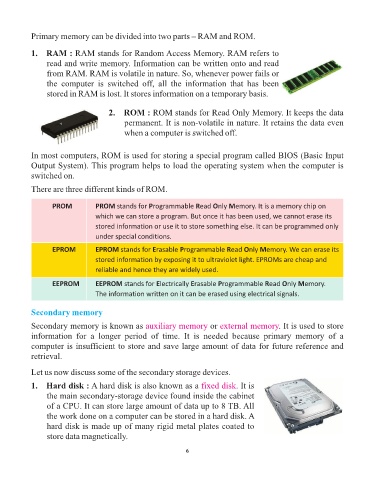
            1.   RAM : RAM stands for Random Access Memory. RAM refers to
                 read and write memory. Information can be written onto and read
                 from RAM. RAM is volatile in nature. So, whenever power fails or
                 the  computer  is  switched  off,  all  the  information  that  has  been

                 stored in RAM is lost. It stores information on a temporary basis.


                                       2.   ROM : ROM stands for Read Only Memory. It keeps the data
                                            permanent. It is non-volatile in nature. It retains the data even
                                            when a computer is switched off.


            In most computers, ROM is used for storing a special program called BIOS (Basic Input
            Output System). This program helps to load the operating system when the computer is
            switched on.

            There are three different kinds of ROM.


                   PROM           PROM stands for Programmable Read Only Memory. It is a memory chip on
                                  which we can store a program. But once it has been used, we cannot erase its
                                  stored information or use it to store something else. It can be programmed only
                                  under special conditions.

                   EPROM          EPROM stands for Erasable Programmable Read Only Memory. We can erase its
                                  stored information by exposing it to ultraviolet light. EPROMs are cheap and

                                  reliable and hence they are widely used.
                   EEPROM         EEPROM stands for Electrically Erasable Programmable Read Only Memory.

                                  The information written on it can be erased using electrical signals.


            Secondary memory

            Secondary memory is known as auxiliary memory                 or external memory     . It is used to store
            information  for  a  longer  period  of  time.  It  is  needed  because  primary  memory  of  a
            computer is insufficient to store and save large amount of data for future reference and
            retrieval.


            Let us now discuss some of the secondary storage devices.
            1.   Hard disk : A hard disk is also known as a fixed disk             . It is

                 the main secondary-storage device found inside the cabinet
                 of a CPU. It can store large amount of data up to 8 TB. All
                 the work done on a computer can be stored in a hard disk. A
                 hard disk is made up of many rigid metal plates coated to
                 store data magnetically.


                                                                 6

