


Page 8 - 00inner.cdr
P. 8
Try It Out                                                                   #Critical Thinking


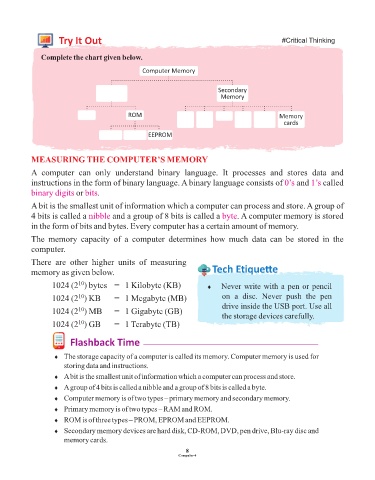
               Complete the chart given below.

                                                  Computer Memory


                                                                            Secondary
                                                                             Memory


                                             ROM                                                  Memory
                                                                                                   cards
                                                    EEPROM


            MEASURING THE COMPUTER’S MEMORY
            A  computer  can  only  understand  binary  language.  It  processes  and  stores  data  and

            instructions in the form of binary language. A binary language consists of 0’s              and 1’s  called
            binary digits  bits.
                           or
            A bit is the smallest unit of information which a computer can process and store. A group of
            4 bits is called a nibble   and a group of 8 bits is called a byte     . A computer memory is stored
            in the form of bits and bytes. Every computer has a certain amount of memory.

            The  memory  capacity  of  a  computer  determines  how  much  data  can  be  stored  in  the
            computer.

            There  are  other  higher  units  of  measuring
            memory as given below.                                        Tech Et ique e

                            10
                   1024 (2 ) bytes   =  1 Kilobyte (KB)                  ¨  Never write with a pen or pencil
                            10
                   1024 (2 ) KB          =  1 Megabyte (MB)                   on  a  disc.  Never  push  the  pen
                                                                              drive inside the USB port. Use all
                            10
                   1024 (2 ) MB   =  1 Gigabyte (GB)
                                                                              the storage devices carefully.
                            10
                   1024 (2 ) GB          =  1 Terabyte (TB)

                         Flashback Time

                    ¨  The storage capacity of a computer is called its memory. Computer memory is used for
                       storing data and instructions.

                    ¨  A bit is the smallest unit of information which a computer can process and store.
                    ¨  A group of 4 bits is called a nibble and a group of 8 bits is called a byte.
                    ¨  Computer memory is of two types – primary memory and secondary memory.

                    ¨  Primary memory is of two types – RAM and ROM.
                    ¨  ROM is of three types – PROM, EPROM and EEPROM.
                    ¨  Secondary memory devices are hard disk, CD-ROM, DVD, pen drive, Blu-ray disc and
                       memory cards.

                                                                 8
                                                               Computer-4

