


Page 63 - 00inner.cdr
P. 63
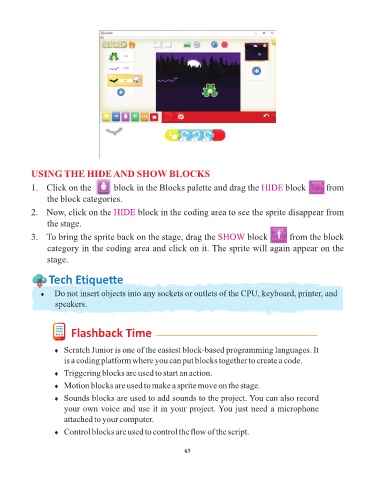
USING THE HIDE AND SHOW BLOCKS

            1.  Click on the         block in the Blocks palette and drag the HIDE                  block        from
                 the block categories.

            2.  Now, click on the HIDE           block in the coding area to see the sprite disappear from

                 the stage.
            3.  To bring the sprite back on the stage, drag the SHOW                   block        from the block

                 category in the coding area and click on it. The sprite will again appear on the
                 stage.


                  Tech Et ique e


               ¨  Do not insert objects into any sockets or outlets of the CPU, keyboard, printer, and
                    speakers.


                          Flashback Time


                    ¨  Scratch Junior is one of the easiest block-based programming languages. It
                       is a coding platform where you can put blocks together to create a code.

                    ¨  Triggering blocks are used to start an action.
                    ¨  Motion blocks are used to make a sprite move on the stage.

                    ¨  Sounds blocks are used to add sounds to the project. You can also record
                       your own voice and use it in your project. You just need a microphone

                       attached to your computer.
                    ¨  Control blocks are used to control the flow of the script.


                                                                 63

