


Page 59 - 00inner.cdr
P. 59
USING TWO CHARACTERS

            We  can  add  more  than  one  character  in  a  ScratchJr  project.  Let  us  create  a

            project.


            Project: Meet and Greet

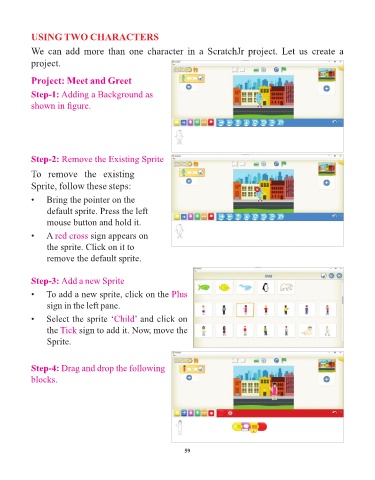
            Step-1: Adding a Background as
            shown in figure.


            Step-2: Remove the Existing Sprite

            To  remove  the  existing
            Sprite, follow these steps:

            •    Bring the pointer on the

                 default sprite. Press the left
                 mouse button and hold it.

            •    A red cross    sign appears on
                 the sprite. Click on it to

                 remove the default sprite.


            Step-3: Add a new Sprite

            •    To add a new sprite, click on the Plus
                 sign in the left pane.

            •    Select the sprite ‘Child       ’ and click on
                 the Tick    sign to add it. Now, move the

                 Sprite.


            Step-4: Drag and drop the following
            blocks.


                                                                 59

