


Page 55 - 00inner.cdr
P. 55
The different triggering blocks are as follows:


                 a.  Start on Green Flag

                     It starts the script when the Green Flag is tapped.
                 b.  Start on Tap

                     It starts the script when you tap on the sprite.

                 c.  Start on Bump
                     It starts the script when the sprite is touched by another sprite.

                 d.  Start on Message
                     It starts the script when it receives a message of the specified colour.

                 e.  Send Start Message
                     It sends the start message of the specified colour.


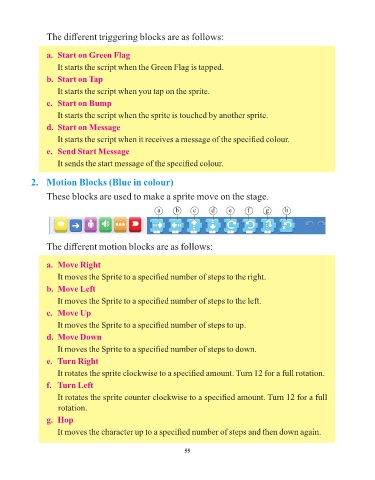
            2.  Motion Blocks (Blue in colour)


                 These blocks are used to make a sprite move on the stage.

                                                       a      b     c     d     e     f      g      h


                 The different motion blocks are as follows:


                 a.  Move Right

                     It moves the Sprite to a specified number of steps to the right.

                 b.  Move Left
                     It moves the Sprite to a specified number of steps to the left.

                 c.  Move Up
                     It moves the Sprite to a specified number of steps to up.

                 d.  Move Down

                     It moves the Sprite to a specified number of steps to down.
                 e.  Turn Right

                     It rotates the sprite clockwise to a specified amount. Turn 12 for a full rotation.
                 f.   Turn Left

                     It rotates the sprite counter clockwise to a specified amount. Turn 12 for a full
                     rotation.

                 g.  Hop
                     It moves the character up to a specified number of steps and then down again.


                                                                 55

