


Page 50 - 00inner.cdr
P. 50
CREATING A NEW DRAWING

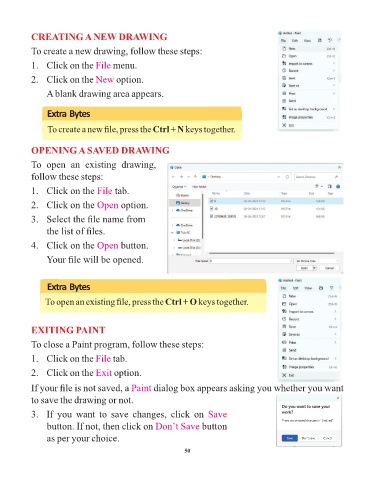
            To create a new drawing, follow these steps:

            1.   Click on the File      menu.

            2.   Click on the New        option.

                 A blank drawing area appears.


                 Extra Bytes

                 To create a new file, press the Ctrl + N keys together.


            OPENING A SAVED DRAWING

            To  open  an  existing  drawing,
            follow these steps:

            1.   Click on the File       tab.

            2.   Click on the Open         option.

            3.   Select the file name from

                 the list of files.

            4.   Click on the Open         button.

                 Your file will be opened.


                 Extra Bytes

                 To open an existing file, press the Ctrl + O keys together.


            EXITING PAINT


            To close a Paint program, follow these steps:
            1.   Click on the File      tab.


            2.   Click on the Exit      option.

            If your file is not saved, a Paint         dialog box appears asking you whether you want

            to save the drawing or not.
            3.   If  you  want  to  save  changes,  click  on  Save

                 button. If not, then click on Don’t Save              button

                 as per your choice.

                                                                 50

