


Page 56 - 00inner.cdr
P. 56
h.  Go Home

                     It resets the character’s location to its starting position. To set a new starting
                     position, drag the sprite to the location.


            3.  Looks block (Purple in colour)

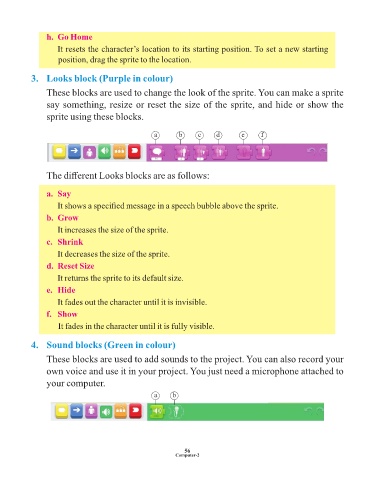
                 These blocks are used to change the look of the sprite. You can make a sprite

                 say something, resize or reset the size of the sprite, and hide or show the
                 sprite using these blocks.


                                                      a        b     c      d        e     f


                 The different Looks blocks are as follows:


                 a.  Say

                     It shows a specified message in a speech bubble above the sprite.
                 b.  Grow

                     It increases the size of the sprite.

                 c.  Shrink
                     It decreases the size of the sprite.

                 d.  Reset Size
                     It returns the sprite to its default size.

                 e.  Hide
                     It fades out the character until it is invisible.

                 f.   Show

                     It fades in the character until it is fully visible.


            4.  Sound blocks (Green in colour)

                 These blocks are used to add sounds to the project. You can also record your
                 own voice and use it in your project. You just need a microphone attached to

                 your computer.

                                                      a      b


                                                                 56
                                                              Computer-2

