


Page 60 - 00inner.cdr
P. 60
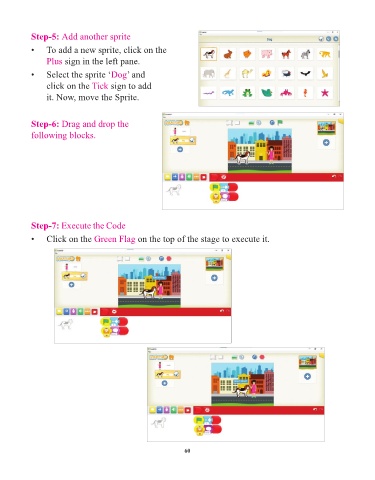
Step-5: Add another sprite

            •    To add a new sprite, click on the
                 Plus sign in the left pane.

            •    Select the sprite ‘Dog      ’ and

                 click on the Tick      sign to add
                 it. Now, move the Sprite.


            Step-6: Drag and drop the
            following blocks.


            Step-7: Execute the Code

            •    Click on the Green Flag         on the top of the stage to execute it.


                                                                 60

