


Page 41 - 00inner.cdr
P. 41
Text to Select                                                 Short Key

                      One character to the left                              Shift +


                      One character to the right                             Shift +

                      One line up                                            Shift +


                      One line down                                          Shift +

                      Beginning of the current line                          Shift + Home

                      End of the current line                                Shift + End


                      Beginning of the current document                      Shift + Ctrl + Home

                      End of the current document                            Shift + Ctrl + End


            Inserting the Text

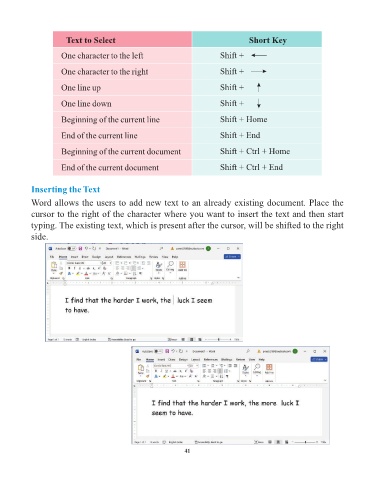
            Word allows the users to add new text to an already existing document. Place the
            cursor to the right of the character where you want to insert the text and then start

            typing. The existing text, which is present after the cursor, will be shifted to the right
            side.


                                                                 41

