


Page 43 - 00inner.cdr
P. 43
Copying the Text

            Copy and     Paste options are used to duplicate the text. You can copy the text not only

            from  one  location  to  another  within  a  document  but  also  from  one  document  to
            another.  This  feature  helps  in  reducing  your  time  and  effort  in  typing.  The  only

            difference between copy/paste and cut/paste features is that the copy feature copies
            the text, but does not remove the text from its original place as the cut feature does. To
            copy and paste the text, follow these steps:

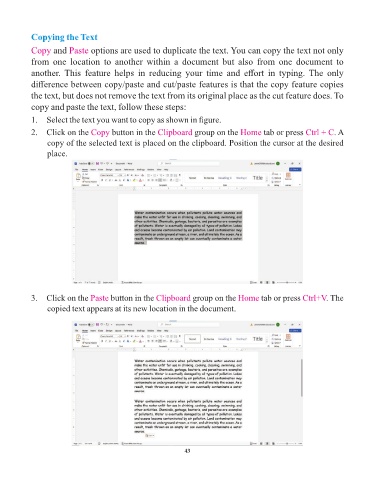
            1.  Select the text you want to copy as shown in figure.

            2.  Click on the Copy       button in the Clipboard     group on the Home       tab or press Ctrl + C   . A
                 copy of the selected text is placed on the clipboard. Position the cursor at the desired
                 place.


            3.  Click on the Paste     button in the Clipboard      group on the Home      tab or press Ctrl+V    . The
                 copied text appears at its new location in the document.


                                                                 43

