


Page 59 - 00inner.cdr
P. 59
ACCESSING A WEBPAGE USING A BROWSER

            As a web browser is required to access a webpage, we are taking up an example of
            Microsoft Edge here. Let us look at its general features.


            Starting Internet Explorer

            To start Internet Explorer, follow these steps:

            1.   Click on the Start          button.

            2.   Click on the All   .

            3.   Click on the Microsoft Edge       .

            The Microsoft Edge window opens.


            Parts of the Microsoft Edge
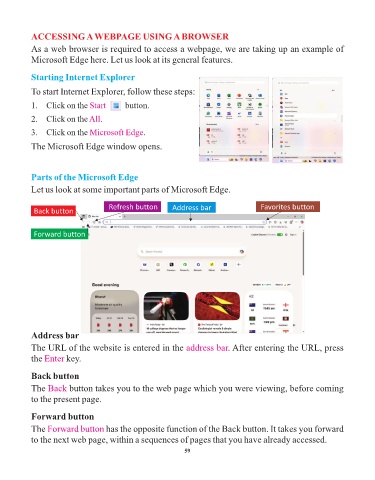
            Let us look at some important parts of Microsoft Edge.


                                       Refresh button        Address bar                   Favorites button
             Back button


             Forward button


            Address bar
            The URL of the website is entered in the address bar                . After entering the URL, press
            the Enter   key.


            Back button

            The Back     button takes you to the web page which you were viewing, before coming
            to the present page.


            Forward button

            The Forward button        has the opposite function of the Back button. It takes you forward
            to the next web page, within a sequences of pages that you have already accessed.

                                                                 59

