


Page 39 - Code Craft Computer-7
P. 39
SIMPLE APP DEVELOPMENT

            App Development (or Application Development) refers to the process of developing apps that can
            run on desired mobile platforms. You can create an application for various purposes such as
            education,  business,  result  tabulation,  project  work,  etc.  The  apps  are  developed  using
            programming  language  such  as  C,  C++  or  Java.  Even  if  you  are  not  well-versed  with  these
            languages, you can create apps using free app development software available on the internet. For
            example, MIT App Inventor, appypie, nativ, kinetise, etc.

            Here, we will learn creating apps using MIT App Inventor.

            MIT App Inventor
            App Inventor is a free app development tool, provided by Google. With the help of App Inventor,
            we  can  create  apps  for  smart  phones.  The  working  of  App  Inventor  is  similar  to  Scratch
            programming language in which we drag and drop blocks for making an app. App Inventor has

            two basic views:
            •    The Design View:     This view contains all the components required to design an application.

            •    The Block Editor View:        This is the place where we code the components added in the
                 Design Window and instruct them the actions to be performed by them.
            Following are the main parts of the Block Editor.

            1.  Built-in Blocks: It contains all the predefined blocks in the application. They are responsible
                 for handling operations like Math, Text, Logic and Control.

            2.  Component Blocks: It contains relevant blocks for the components we have added in the
                 Design window.
            3.  Workspace: It arranges all the blocks for coding in the workspace.
            4.  Trash: It is used for deleting blocks that are not required.

            5.  Backpack: It stores the copy of the blocks even when we exit App Inventor.

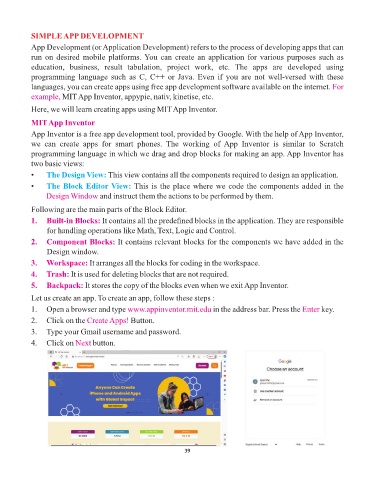
            Let us create an app. To create an app, follow these steps :
            1.  Open a browser and type www.appinventor.mit.edu            in the address bar. Press the Enter  key.
            2.  Click on the Create Apps!     Button.

            3.   Type your Gmail username and password.
            4.   Click on Next   button.


                                                                 39

