


Page 42 - Code Craft Computer-7
P. 42
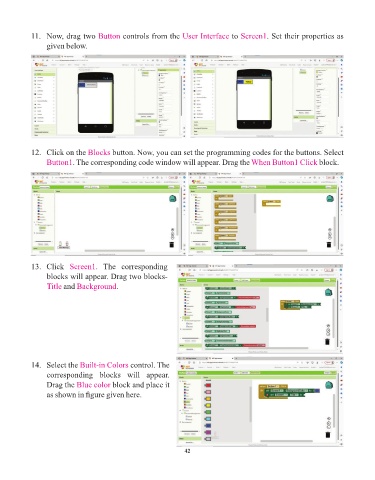
11.   Now, drag two Button      controls from the User Interface     to Screen1  . Set their properties as
                 given below.


            12.   Click on the Blocks   button. Now, you can set the programming codes for the buttons. Select
                 Button1. The corresponding code window will appear. Drag the           When Button1 Click block.


            13.   Click  Screen1  .  The  corresponding
                 blocks will appear. Drag two blocks-
                 Title and  Background.


            14.   Select the Built-in Colors  control. The
                 corresponding  blocks  will  appear.
                 Drag the Blue color    block and place it
                 as shown in figure given here.


                                                                 42

