


Page 93 - Code Craft Computer-7
P. 93
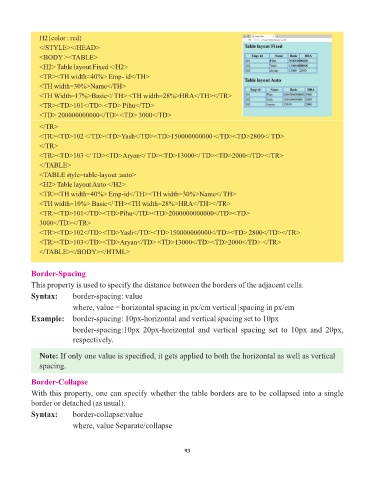
H2{color : red}
               </STYLE></HEAD>
               <BODY ><TABLE>
               <H2> Table layout Fixed </H2>
               <TR><TH width=40%> Emp- id</TH>
               <TH width=30%>Name</TH>
               <TH Width=17%>Basic</ TH> <TH width=28%>HRA</TH></TR>
               <TR><TD>101</TD> <TD> Pihu</TD>
               <TD> 200000000000</TD> <TD> 3000</TD>

               </TR>
               <TR><TD>102 </TD><TD>Yash</TD><TD>150000000000 </TD><TD>2800</ TD>
               </TR>
               <TR><TD>103 </ TD><TD>Aryan</ TD><TD>13000</ TD><TD>2000</TD></TR>
               </TABLE>
               <TABLE style=table-layout :auto>
               <H2> Table layout Auto </H2>
               <TR><TH width=40%> Emp-id</TH><TH width=30%>Name</ TH>
               <TH width=10%> Basic</ TH><TH width=28%>HRA</TH></TR>

               <TR><TD>101</TD><TD>Pihu</TD><TD>2000000000000</TD><TD>
               3000</TD></TR>
               <TR><TD>102</TD><TD>Yash</TD><TD>150000000000</TD><TD> 2800</TD></TR>
               <TR><TD>103</TD><TD>Aryan</TD> <TD>13000</TD><TD>2000</TD> </TR>
               </TABLE></BODY></HTML>


            Border-Spacing

            This property is used to specify the distance between the borders of the adjacent cells.
            Syntax:       border-spacing: value

                          where, value = horizontal spacing in px/cm vertical |spacing in px/em
            Example:   border-spacing: 10px-horizontal and vertical spacing set to 10px
                          border-spacing:10px  20px-horizontal  and  vertical  spacing  set  to  10px  and  20px,

                          respectively.

               Note: If only one value is specified, it gets applied to both the horizontal as well as vertical
               spacing.


            Border-Collapse
            With this property, one can specify whether the table borders are to be collapsed into a single
            border or detached (as usual).

            Syntax:       border-collapse:value
                          where, value Separate/collapse


                                                                 93

