


Page 30 - 00inner.cdr
P. 30
Scroll Mouse

            A mouse with a scroll wheel in the middle of the left button and the right button

            is called a scroll mouse       .

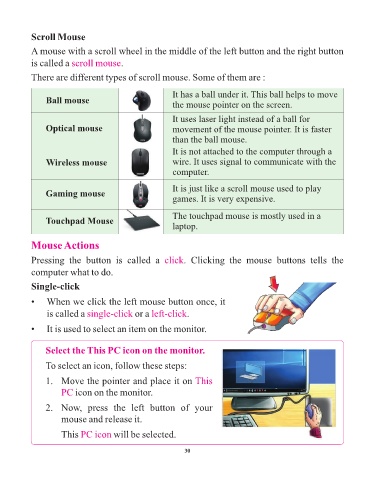
            There are different types of scroll mouse. Some of them are :


                                                             It has a ball under it. This ball helps to move
                 Ball mouse
                                                             the mouse pointer on the screen.

                                                             It uses laser light instead of a ball for
                 Optical mouse                               movement of the mouse pointer. It is faster
                                                             than the ball mouse.

                                                             It is not attached to the computer through a
                 Wireless mouse                              wire. It uses signal to communicate with the
                                                             computer.


                                                             It is just like a scroll mouse used to play
                 Gaming mouse
                                                             games. It is very expensive.


                                                             The touchpad mouse is mostly used in a
                 Touchpad Mouse
                                                             laptop.


            Mouse Actions

            Pressing  the  button  is  called  a  click          .  Clicking  the  mouse  buttons  tells  the

            computer what to do.

            Single-click

            •   When we click the left mouse button once, it

                 is called a single-click       or a left-click   .

            •   It is used to select an item on the monitor.


                 Select the This PC icon on the monitor.

                 To select an icon, follow these steps:

                 1.   Move the pointer and place it on This

                      PC icon on the monitor.

                 2.   Now,  press  the  left  button  of  your

                      mouse and release it.

                      This PC icon      will be selected.


                                                                 30

