


Page 31 - 00inner.cdr
P. 31
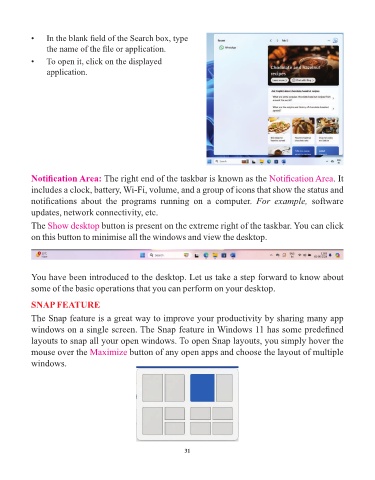
•    In the blank field of the Search box, type
                 the name of the file or application.
            •    To open it, click on the displayed

                 application.


            Notification Area: The right end of the taskbar is known as the                    Notification Area. It
            includes a clock, battery, Wi-Fi, volume, and a group of icons that show the status and

            notifications  about  the  programs  running  on  a  computer.  For  example,  software
            updates, network connectivity, etc.

            The Show desktop        button is present on the extreme right of the taskbar. You can click
            on this button to minimise all the windows and view the desktop.


            You have been introduced to the desktop. Let us take a step forward to know about

            some of the basic operations that you can perform on your desktop.

            SNAP FEATURE

            The Snap feature is a great way to improve your productivity by sharing many app
            windows on a single screen. The Snap feature in Windows 11 has some predefined

            layouts to snap all your open windows. To open Snap layouts, you simply hover the
            mouse over the Maximize           button of any open apps and choose the layout of multiple

            windows.


                                                                 31

