


Page 35 - 00inner.cdr
P. 35
Double-headed Arrow

            This arrow is used for resizing the windows or pictures.

            Four-headed Arrow

            This arrow is used for moving pictures and toolbars.


            I-Beam
            This arrow indicator is used for inserting text in a document.


            Working in Background

            It means that the computer is processing while you are working.

            SHUTTING DOWN A COMPUTER

            Shutting  down  means  to  turn  off  a  computer.  To  shut

            down your system, follow the given steps:
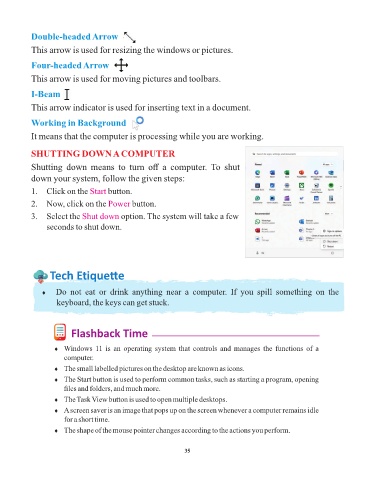
            1.  Click on the Start    button.

            2.  Now, click on the Power        button.

            3.  Select the Shut down       option. The system will take a few
                 seconds to shut down.


                  Tech Et ique e


               ¨  Do  not  eat  or  drink  anything  near  a  computer.  If  you  spill  something  on  the
                     keyboard, the keys can get stuck.


                          Flashback Time

                    ¨  Windows 11 is an operating system that controls and manages the functions of a
                       computer.

                    ¨  The small labelled pictures on the desktop are known as icons.
                    ¨  The Start button is used to perform common tasks, such as starting a program, opening
                       files and folders, and much more.

                    ¨  The Task View button is used to open multiple desktops.
                    ¨  A screen saver is an image that pops up on the screen whenever a computer remains idle
                       for a short time.
                    ¨  The shape of the mouse pointer changes according to the actions you perform.


                                                                 35

