


Page 21 - 00inner.cdr
P. 21
To Change Date

            To change the date of your computer, follow the given steps:
            1.  Select the Change date and time         button from the Date and Time
            window.

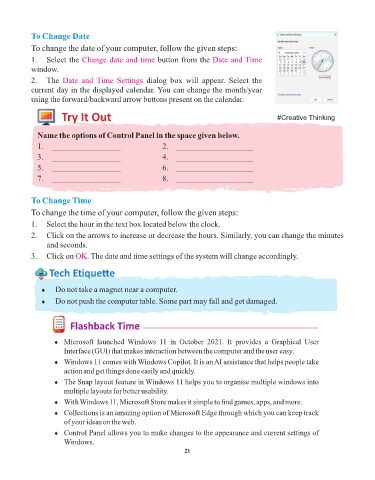
            2.  The  Date  and  Time  Settings      dialog  box  will  appear.  Select  the
            current day in the displayed calendar. You can change the month/year
            using the forward/backward arrow buttons present on the calendar.

                      Try It Out                                                                 #Creative Thinking


              Name the options of Control Panel in the space given below.
              1.  _________________                      2.    ___________________
              3.  _________________                      4.    ___________________

              5.  _________________                      6.    ___________________
              7.  _________________                      8.    ___________________


            To Change Time
            To change the time of your computer, follow the given steps:

            1.  Select the hour in the text box located below the clock.
            2.  Click on the arrows to increase or decrease the hours. Similarly, you can change the minutes
                 and seconds.

            3.  Click on OK    . The date and time settings of the system will change accordingly.

                  Tech Et ique e


               ¨  Do not take a magnet near a computer.
               ¨  Do not push the computer table. Some part may fall and get damaged.


                         Flashback Time


                    ¨  Microsoft  launched  Windows  11  in  October  2021.  It  provides  a  Graphical  User
                       Interface (GUI) that makes interaction between the computer and the user easy.
                    ¨  Windows 11 comes with Windows Copilot. It is an AI assistance that helps people take
                       action and get things done easily and quickly.

                    ¨  The Snap layout feature in Windows 11 helps you to organise multiple windows into
                       multiple layouts for better usability.
                    ¨  With Windows 11, Microsoft Store makes it simple to find games, apps, and more.
                    ¨  Collections is an amazing option of Microsoft Edge through which you can keep track
                       of your ideas on the web.

                    ¨  Control Panel allows you to make changes to the appearance and current settings of
                       Windows.
                                                                 21

