


Page 52 - 00inner.cdr
P. 52
SAVING A PRESENTATION

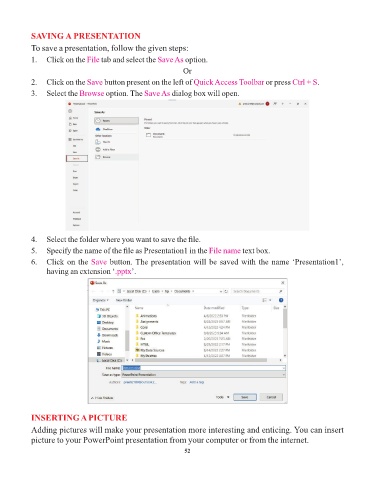
            To save a presentation, follow the given steps:
            1.  Click on the File   tab and select the Save As   option.

                                                                Or
            2.  Click on the Save    button present on the left of Quick Access Toolbar      or press Ctrl + S .

            3.  Select the Browse     option. The Save As   dialog box will open.


            4.  Select the folder where you want to save the file.
            5.  Specify the name of the file as Presentation1 in the File name        text box.

            6.  Click on the Save      button. The presentation will be saved with the name ‘Presentation1’,
                 having an extension ‘.pptx   ’.


            INSERTING A PICTURE

            Adding pictures will make your presentation more interesting and enticing. You can insert
            picture to your PowerPoint presentation from your computer or from the internet.

                                                                 52

