


Page 53 - 00inner.cdr
P. 53
Let us learn how to insert pictures to your PowerPoint presentation.

            1.  Click  on  the  More  Themes       option  present  on  the  right  side  of  the  screen  to  get  more
                 templates. Choose your desired template.
            2.  Click on the placeholder of the Slide pane and type the text ‘Artificial Intelligence        ’. Click on
                 another placeholder and type another text ‘AI stands for Artificial Intelligence. It is the
                 intelligence created by humans. AI enables machines to think and carry out tasks the way
                 humans do using their natural intelligence.’


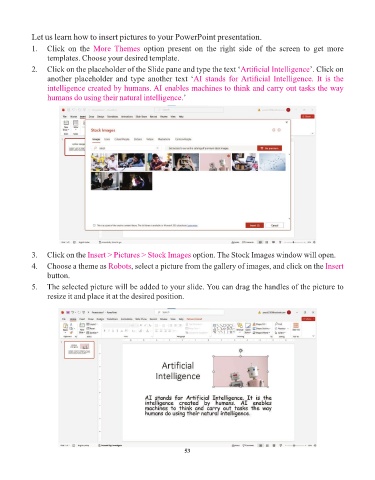
            3.  Click on the Insert > Pictures > Stock Images       option. The Stock Images window will open.

            4.  Choose a theme as Robots      , select a picture from the gallery of images, and click on the Insert
                 button.
            5.  The selected picture will be added to your slide. You can drag the handles of the picture to
                 resize it and place it at the desired position.


                                                                 53

