


Page 67 - 00inner.cdr
P. 67
Looks Blocks used in the project


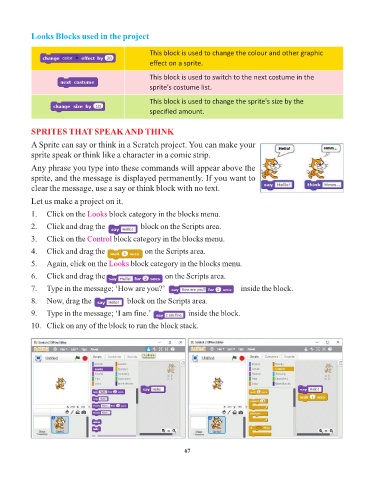
                                                     This block is used to change the colour and other graphic
                                                     effect on a sprite.

                                                     This block is used to switch to the next costume in the
                                                     sprite's costume list.

                                                     This block is used to change the sprite's size by the
                                                     specified amount.


            SPRITES THAT SPEAK AND THINK
            A Sprite can say or think in a Scratch project. You can make your

            sprite speak or think like a character in a comic strip.

            Any phrase you type into these commands will appear above the
            sprite, and the message is displayed permanently. If you want to
            clear the message, use a say or think block with no text.

            Let us make a project on it.

            1.   Click on the Looks    block category in the blocks menu.
            2.   Click and drag the aaaaaaaaa     block on the Scripts area.

            3.   Click on the Control   block category in the blocks menu.

            4.   Click and drag the aaaaaaaaa      on the Scripts area.
            5.   Again, click on the Looks    block category in the blocks menu.

            6.   Click and drag the aaaaaaaaa              on the Scripts area.

            7.   Type in the message; ‘How are you?’ aaaaaaaaa                      inside the block.
            8.   Now, drag the aaaaaaaaa     block on the Scripts area.

            9.   Type in the message; ‘I am fine.’  aaaaaaaaa     inside the block.

            10.   Click on any of the block to run the block stack.


                                                                 67

