


Page 71 - 00inner.cdr
P. 71
Sound Blocks used in the project

                                                     This block is used to play the specified sound and continues

                                                     to the next block immediately.

                                                     This block plays a drum sound for a specified number of
                                                     beats. Click on the drum type by clicking the drop-down
                                                     arrow next to the number and the number of beats by
                                                     changing the value in the box.


            WORKING WITH TWO SPRITES

            Let us create a project with two sprites.

            1.   Click on the Choose sprite from library     option. The Sprite library  dialog box appears.

            2.   Select the People   from the Category    section and select Kai  . Then, click on the OK   button.
            3.   Again click on the Choose sprite from library        option and add Maya     Sprite from the People
                 category of the Sprite library   dialog box.

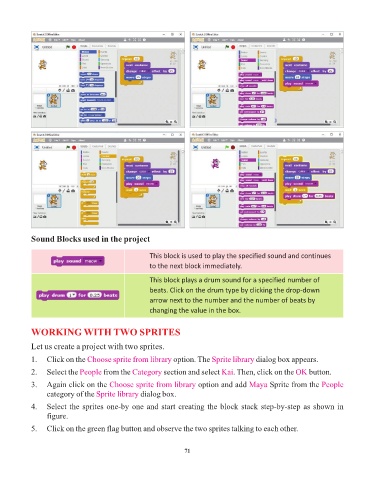
            4.   Select the sprites one-by one and start creating the block stack step-by-step as shown in
                 figure.

            5.   Click on the green flag button and observe the two sprites talking to each other.


                                                                 71

