


Page 28 - Code Craft Computer-7
P. 28
Adding Animation

            To add animation, follow these steps:
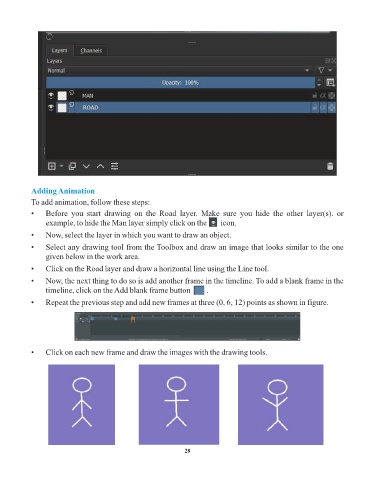
            •    Before  you  start  drawing  on  the  Road  layer.  Make  sure  you  hide  the  other  layer(s).  or
                 example, to hide the Man layer simply click on the       icon.

            •    Now, select the layer in which you want to draw an object.

            •    Select any drawing tool from the Toolbox and draw an image that looks similar to the one
                 given below in the work area.
            •    Click on the Road layer and draw a horizontal line using the Line tool.

            •    Now, the next thing to do so is add another frame in the timeline. To add a blank frame in the
                 timeline, click on the Add blank frame button        .
            •    Repeat the previous step and add new frames at three (0, 6, 12) points as shown in figure.


            •    Click on each new frame and draw the images with the drawing tools.


                                                                 28

