


Page 26 - Code Craft Computer-7
P. 26
Frames

            Animation  in  Krita  is  created  with  the  help  of  frames.  Each  frame  is  defined  as  the  little
            rectangular cell that appears on the timeline. Every fifth frame displays a number that you can
            find on the top of the timeline.
            Keyframes

            Keyframes are special types of frames, where you define some changes to an object's properties
            for an animation, like position, colour, shapes, etc.

            Layers
            Layers are like transparent sheets stacked on top of one another; each containing a different image
            that appears on the stage. You can draw and edit the objects on one layer without affecting the
            objects on another layer.

            CREATING ANIMATION

            Let us create the first animation in Krita: A jumping man on the road. For this, follow the steps
            given below:
            Creating a New Document

            You will need two layers to make a jumping man on the road: one for the road and another for the
            man. So, create a new document with two layers. To do so, follow these steps:
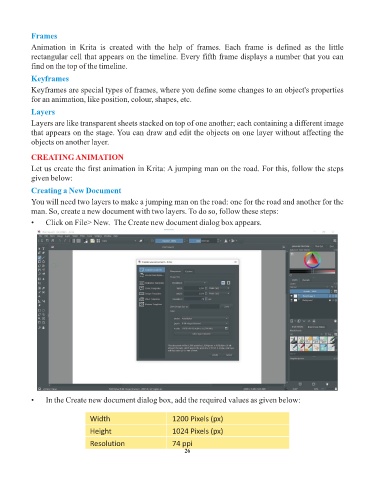
            •    Click on File> New.  The Create new document dialog box appears.


            •    In the Create new document dialog box, add the required values as given below:


                                Width                        1200 Pixels (px)
                                Height                       1024 Pixels (px)

                                Resolution                   74 ppi
                                                                 26

