


Page 43 - Code Craft Computer-8
P. 43
Practical Session                                                                 #Experiential Learning

              Create a table with the given fields. Save the database with the name ‘Teacher's Details’.
                    Reg_No          F_Name        Subject        School        Address        Mobile_No.

              •     Create a table and enter 10 records in it.
              •     Make changes in a table. Rename the field name 'Mobile_No' to 'Contact_No'.
              •     Set 'Reg_No' as the Primary key.
              •     Insert a new field, 'Date_of_Joining' at the end.

              •     Move the field 'Subject' after the 'School' field.
              •     Edit records from the rows 4 to 7 by replacing their information with the new values.
              •     Delete the first two records.
              •     Sort the records in an ascending order.

              •     Save the table and exit MS Access 2021.

              Competency-Based Questions                                                            #Critical Thinking

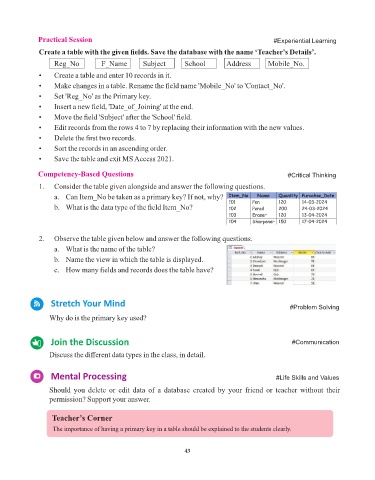
              1.   Consider the table given alongside and answer the following questions.
                    a.  Can Item_No be taken as a primary key? If not, why?
                    b.  What is the data type of the field Item_No?


              2.   Observe the table given below and answer the following questions.
                    a.  What is the name of the table?
                    b.  Name the view in which the table is displayed.

                    c.  How many fields and records does the table have?


                   Stretch Your Mind
                                                                                                     #Problem Solving
                  Why do is the primary key used?


                   Join the Discussion                                                                #Communication

                  Discuss the different data types in the class, in detail.


                   Mental Processing                                                            #Life Skills and Values


                  Should  you  delete  or  edit  data  of  a  database  created  by  your  friend  or  teacher  without  their
                  permission? Support your answer.


                   Teacher’s Corner
                   The importance of having a primary key in a table should be explained to the students clearly.


                                                                 43

