


Page 64 - Code Craft Computer-8
P. 64
Roll_No

                                                              Students            Name
                                           College            Teachers            Age

                                                              Admin

            4.  Network database
                 A Network database management system is a system where the data elements maintain one
                 to  one  relationship  (1:1)  or  many  to  many  relationship  (N:N).  It  also  has  a  hierarchical
                 structure, but the data is organized like a graph and it is allowed to have more than one parent
                 for one child record.

                 Example:
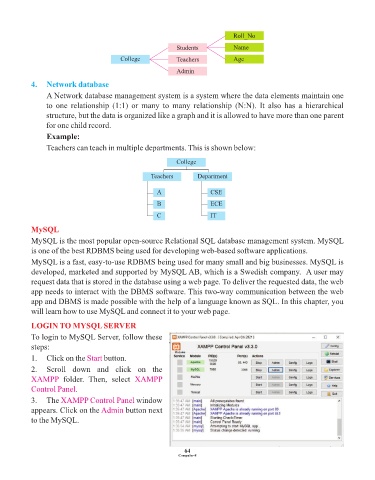
                 Teachers can teach in multiple departments. This is shown below:

                                                              College


                                                     Teachers        Department

                                                       A                  CSE
                                                       B                  ECE

                                                       C                  IT

            MySQL
            MySQL is the most popular open-source Relational SQL database management system. MySQL
            is one of the best RDBMS being used for developing web-based software applications.

            MySQL is a fast, easy-to-use RDBMS being used for many small and big businesses. MySQL is
            developed, marketed and supported by MySQL AB, which is a Swedish company.  A user may
            request data that is stored in the database using a web page. To deliver the requested data, the web
            app needs to interact with the DBMS software. This two-way communication between the web
            app and DBMS is made possible with the help of a language known as SQL. In this chapter, you
            will learn how to use MySQL and connect it to your web page.


            LOGIN TO MYSQL SERVER
            To login to MySQL Server, follow these
            steps:
            1.  Click on the Start   button.

            2.  Scroll  down  and  click  on  the
            XAMPP  folder.  Then,  select       XAMPP
            Control Panel.

            3.  The XAMPP Control Panel         window
            appears. Click on the Admin     button next
            to the MySQL.


                                                                 64
                                                               Computer-8

