


Page 33 - 00inner.cdr
P. 33
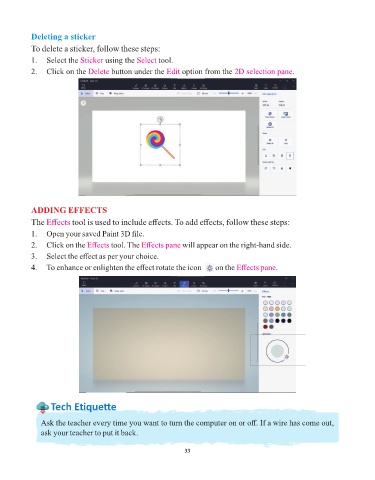
Deleting a sticker

            To delete a sticker, follow these steps:
            1.  Select the Sticker   using the Select   tool.

            2.  Click on the Delete     button under the Edit   option from the 2D selection pane     .


            ADDING EFFECTS
            The Effects    tool is used to include effects. To add effects, follow these steps:

            1.  Open your saved Paint 3D file.
            2.  Click on the Effects    tool. The Effects pane    will appear on the right-hand side.

            3.  Select the effect as per your choice.

            4.  To enhance or enlighten the effect rotate the icon       on the Effects pane      .


                   Tech Et ique e

               Ask the teacher every time you want to turn the computer on or off. If a wire has come out,

               ask your teacher to put it back.


                                                                 33

