


Page 40 - 00inner.cdr
P. 40
CHANGING TEXT ALIGNMENT

            Alignment refers to the positioning of the text on a page. It is always better to set the
            alignment  before  typing. You  can  also  select  an  entire  document  and  then  change  the
            alignment of the text.

            Word provides four types of alignments, which are as follows:

            •    Align Left pic-    : It places the selected text towards the left margin. By default, the text
                 is aligned to the left margin.
            •    Center pic-   : It sets the text in the center of the left and right margins. This alignment is
                 mostly used for titles / headings.

            •    Align Right pic-     : This aligns the selected text towards the right margin. It is often
                 used for placing dates or reference numbers in a document.

                                :
            •    Justify pic- It places the text evenly between the left and the right margins. It is
                 mainly used for designing books, magazines, and newspapers.

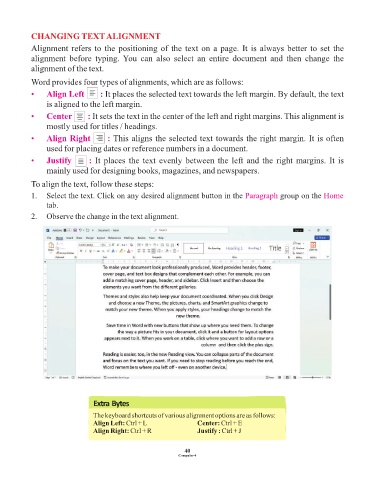
            To align the text, follow these steps:

            1.  Select the text. Click on any desired alignment button in the Paragraph           group on the Home
                 tab.
            2.  Observe the change in the text alignment.


                                 Extra Bytes

                                 The keyboard shortcuts of various alignment options are as follows:
                                 Align Left: Ctrl + L                Center: Ctrl + E
                                 Align Right: Ctrl + R               Justify : Ctrl + J


                                                                 40
                                                               Computer-4

