


Page 29 - Code Craft Computer-8
P. 29
Analyt ical Skills


              Pictorial-Based Learning

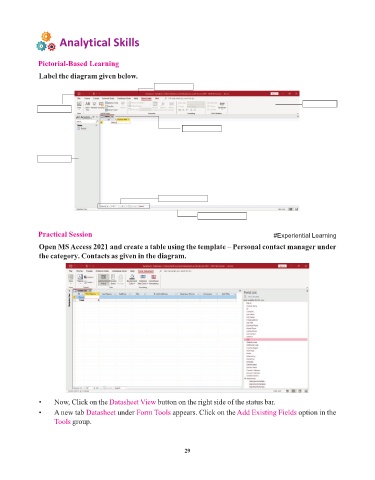
              Label the diagram given below.
                                                      Title bar


                                                                                                          Ribbon


                                                                Objects tab


                                                        Navigation buttons


                                                                      Status bar


              Practical Session                                                                 #Experiential Learning

              Open MS Access 2021 and create a table using the template – Personal contact manager under
              the category. Contacts as given in the diagram.


              •     Now, Click on the Datasheet View    button on the right side of the status bar.
              •     A new tab Datasheet   under Form Tools   appears. Click on the Add Existing Fields  option in the
                    Tools group.


                                                                 29

