


Page 26 - Code Craft Computer-8
P. 26
OPENING AN EXISTING DATABASE

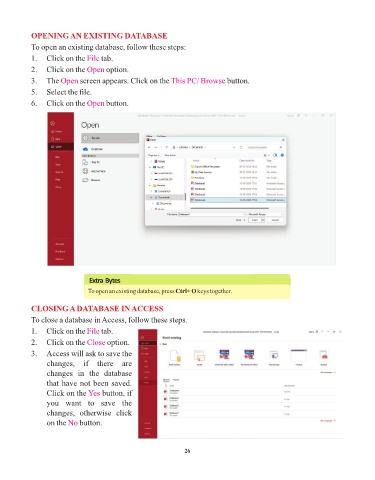
            To open an existing database, follow these steps:
            1.   Click on the File  tab.
            2.   Click on the Open    option.

            3.   The Open    screen appears. Click on the This PC/ Browse       button.
            5.   Select the file.

            6.   Click on the Open    button.


                                Extra Bytes
                               To open an existing database, press Ctrl+ O keys together.


            CLOSING A DATABASE IN ACCESS
            To close a database in Access, follow these steps.

            1.   Click on the File  tab.
            2.   Click on the Close   option.

            3.   Access will ask to save the
                 changes,  if  there  are
                 changes  in  the  database
                 that have not been saved.
                 Click on the Yes    button, if
                 you  want  to  save  the
                 changes,  otherwise  click
                 on the No   button.


                                                                 26

