


Page 23 - Code Craft Computer-8
P. 23
on the right end of the bar to close the object displayed in the current tab.


            6.  Navigation  buttons:  The  Navigation  buttons  display  the
            current record number in an object.

            7. Status bar: This bar is located at the bottom of the window. On its extreme left, it displays the
            name of the current view. It also contains view shortcuts to quickly switch between different

            views like Datesheet view    , Design View  , Form View  , etc.


                      Try It Out                                                                   #Problem Solving


              Name the various parts of MS Access 2021 window.
                   1.  _____________                2.   _____________
                   3.   _____________               4.   _____________
                   5.   _____________               6.   _____________

                   7.   _____________


            CREATING A DATABASE
            MS Access lets you create a new database using the following options:

            •    Blank database:     You can create a new or database from scratch using this option.
            •    Installed templates:     Access comes with several pre-installed templates. These templates
                 create  a  complete  database  application.  They  contain  tables,  queries,  reports  and  other

                 objects that you need to start working.
            Creating a Blank Database

            To create a blank database in Access, follow these steps:                Extra Bytes
            1.   Click on the File t ab.                                             The extension of Access 2021 is .accdb.

            2.   Click on the New    option.
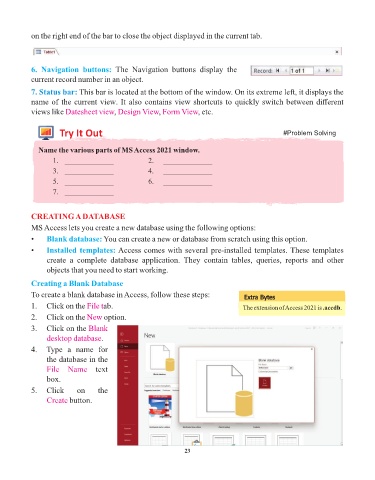
            3.   Click on the Blank
                 desktop database.

            4.   Type  a  name  for
                 the database in the
                 File  Name  text
                 box.

            5.   Click      on     the
                 Create button.


                                                                 23

