


Page 21 - Code Craft Computer-8
P. 21
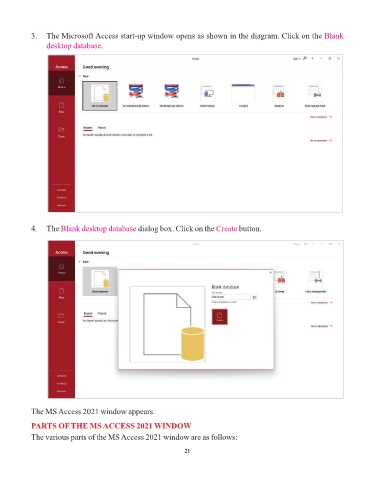
3.   The Microsoft Access start-up window opens as shown in the diagram. Click on the Blank
                 desktop database.


            4.   The Blank desktop database      dialog box. Click on the Create    button.


            The MS Access 2021 window appears.

            PARTS OF THE MS ACCESS 2021 WINDOW

            The various parts of the MS Access 2021 window are as follows:

                                                                 21

