


Page 25 - Code Craft Computer-8
P. 25
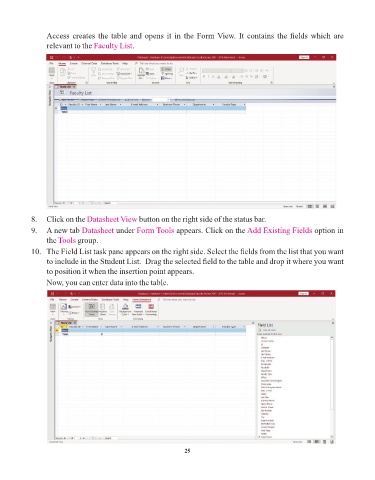
Access creates the table and opens it in the Form View. It contains the fields which are
                 relevant to the Faculty List  .


            8.   Click on the Datasheet View      button on the right side of the status bar.
            9.   A new tab Datasheet     under Form Tools     appears. Click on the Add Existing Fields       option in
                 the Tools  group.

            10.   The Field List task pane appears on the right side. Select the fields from the list that you want
                 to include in the Student List.  Drag the selected field to the table and drop it where you want
                 to position it when the insertion point appears.
                 Now, you can enter data into the table.


                                                                 25

