


Page 52 - Code Craft Computer-8
P. 52
Internal linking serves as a bookmark to go to a particular segment of the web page. Internal
            linking is a two step process.

            ANCHOR (<A>) TAG

            The Anchor (<A>) tag is used to create hyperlinks in a web page. It is a container tag. Any text or
            image enclosed within the <A> and </A> tags is displayed as a hyperlink.

            Href attribute of  <A> tag

            This attribute indicates the destination of the link. It defines the document to which the link leads.
            Syntax:  <a href= “value” > CLICK HERE </a>

            where value=

            •    Absolute  URL-  It  points  to  another  website  (For  example,  <a  herf=”https://www.yahoo.
                 com> ”)

            •    A relative URL- It points to a file within a website (For example, <a href= “Click.html”>)
            •    Link to an email address (For example, <a href= “mailto:info@radicalbooks.in”>)

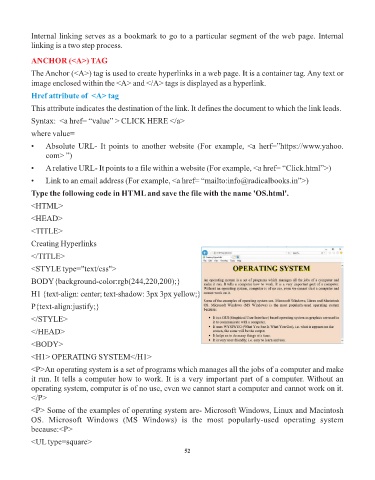
            Type the following code in HTML and save the file with the name 'OS.html'.

            <HTML>
            <HEAD>

            <TITLE>

            Creating Hyperlinks

            </TITLE>
            <STYLE type="text/css">

            BODY{background-color:rgb(244,220,200);}

            H1 {text-align: center; text-shadow: 3px 3px yellow;}
            P{text-align:justify;}

            </STYLE>

            </HEAD>

            <BODY>
            <H1> OPERATING SYSTEM</H1>

            <P>An operating system is a set of programs which manages all the jobs of a computer and make
            it run. It tells a computer how to work. It is a very important part of a computer. Without an
            operating system, computer is of no use, even we cannot start a computer and cannot work on it.
            </P>

            <P> Some of the examples of operating system are- Microsoft Windows, Linux and Macintosh
            OS.  Microsoft  Windows  (MS  Windows)  is  the  most  popularly-used  operating  system
            because:<P>

            <UL type=square>
                                                                 52

