


Page 57 - Code Craft Computer-8
P. 57
<IMG  src  =  "C:\Users\Preeti\Desktop\2.jpeg"  height=  200  width=  350  border=  7  align=
                 right>

                 </BODY>

                 </HTML>

            IMAGES AS LINKS

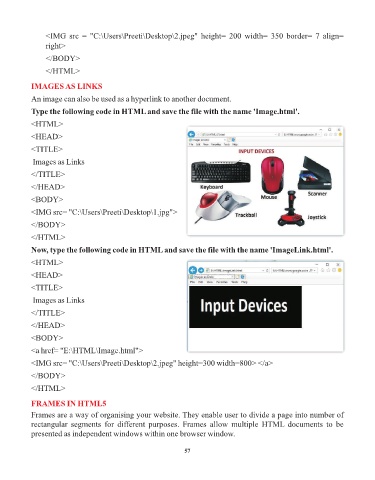
            An image can also be used as a hyperlink to another document.
            Type the following code in HTML and save the file with the name 'Image.html'.

            <HTML>

            <HEAD>

            <TITLE>
             Images as Links

            </TITLE>

            </HEAD>
            <BODY>

            <IMG src= "C:\Users\Preeti\Desktop\1.jpg">

            </BODY>
            </HTML>

            Now, type the following code in HTML and save the file with the name 'ImageLink.html'.

            <HTML>

            <HEAD>
            <TITLE>

             Images as Links

            </TITLE>

            </HEAD>
            <BODY>

            <a href= "E:\HTML\Image.html">

            <IMG src= "C:\Users\Preeti\Desktop\2.jpeg" height=300 width=800> </a>
            </BODY>

            </HTML>

            FRAMES IN HTML5

            Frames are a way of organising your website. They enable user to divide a page into number of
            rectangular  segments  for  different  purposes.  Frames  allow  multiple  HTML  documents  to  be
            presented as independent windows within one browser window.


                                                                 57

