


Page 58 - Code Craft Computer-8
P. 58
CREATING FRAMES

            To create a form in HTML 5, <iframe> tag is used. The <iframe> tag specifies an inline frame. An
            inline frame is used to embed another document within the current HTML document.

            Attributes of <iframe> tag

             S. No.      Attribute                                Uses                                  Syntax

               1.     src                 This attribute is used to specify the path of the  <iframe src= value>
                                          document that should be displayed in the inline  where value= path
                                          frame.                                                  of the document

               2.     height and          These attributes are used to control the size of the  width =value
                      weight              inline frames.                                          in pixels

                                                                                                  height= value
                                                                                                  in pixels


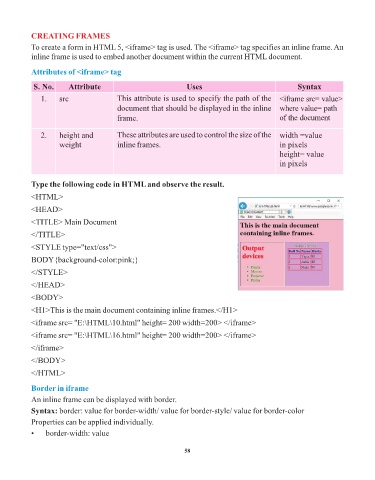
            Type the following code in HTML and observe the result.

            <HTML>
            <HEAD>

            <TITLE> Main Document

            </TITLE>

            <STYLE type="text/css">
            BODY{background-color:pink;}

            </STYLE>

            </HEAD>

            <BODY>
            <H1>This is the main document containing inline frames.</H1>

            <iframe src= "E:\HTML\10.html" height= 200 width=200> </iframe>

            <iframe src= "E:\HTML\16.html" height= 200 width=200> </iframe>
            </iframe>

            </BODY>

            </HTML>

            Border in iframe

            An inline frame can be displayed with border.
            Syntax: border: value for border-width/ value for border-style/ value for border-color
            Properties can be applied individually.

            •    border-width: value


                                                                 58

