


Page 40 - 00inner.cdr
P. 40
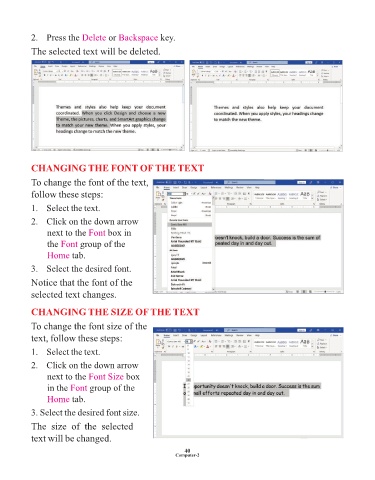
2.   Press the Delete      or Backspace     key.

            The selected text will be deleted.


            CHANGING THE FONT OF THE TEXT
            To change the font of the text,

            follow these steps:

            1.  Select the text.

            2.   Click on the down arrow

                 next to the Font     box in
                 the Font    group of the
                 Home tab.

            3.   Select the desired font.

            Notice that the font of the

            selected text changes.

            CHANGING THE SIZE OF THE TEXT


            To change the font size of the
            text, follow these steps:

            1.   Select the text.

            2.   Click on the down arrow
                 next to the Font Size       box

                 in the Font    group of the
                 Home tab.

            3. Select the desired font size.

            The  size  of  the  selected

            text will be changed.

                                                                 40
                                                              Computer-2

