


Page 42 - 00inner.cdr
P. 42
OPENING AN EXISTING DOCUMENT IN WORD

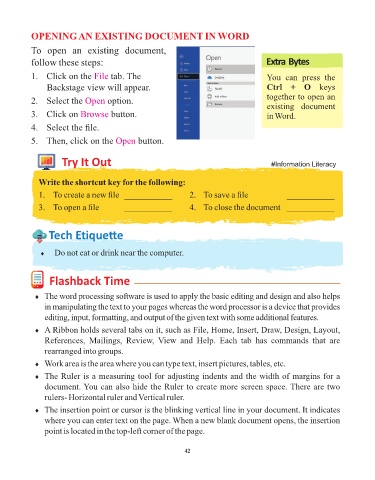
            To  open  an  existing  document,

            follow these steps:                                                              Extra Bytes

            1.   Click on the File     tab. The                                              You  can  press  the
                 Backstage view will appear.                                                 Ctrl  +  O  keys
                                                                                             together to open an
            2.   Select the Open      option.
                                                                                             existing  document
            3.   Click on Browse       button.                                               in Word.

            4.   Select the file.

            5.  Then, click on the Open          button.


                      Try It Out                                                               #Information Literacy


              Write the shortcut key for the following:
              1.  To create a new file  ___________                 2.  To save a file                ___________

              3.  To open a file             ___________            4.  To close the document  ___________


                  Tech Et ique e


               ¨  Do not eat or drink near the computer.


                  Flashback Time


             ¨  The word processing software is used to apply the basic editing and design and also helps

                in manipulating the text to your pages whereas the word processor is a device that provides
                editing, input, formatting, and output of the given text with some additional features.
             ¨  A Ribbon holds several tabs on it, such as File, Home, Insert, Draw, Design, Layout,

                References,  Mailings,  Review,  View  and  Help.  Each  tab  has  commands  that  are
                rearranged into groups.

             ¨  Work area is the area where you can type text, insert pictures, tables, etc.
             ¨  The Ruler is a measuring tool for adjusting indents and the width of margins for a

                document. You can also hide the Ruler to create more screen space. There are two
                rulers- Horizontal ruler and Vertical ruler.

             ¨  The insertion point or cursor is the blinking vertical line in your document. It indicates
                where you can enter text on the page. When a new blank document opens, the insertion
                point is located in the top-left corner of the page.


                                                                 42

