


Page 57 - Code Craft Computer-7
P. 57
Changing the chart type or sub-type
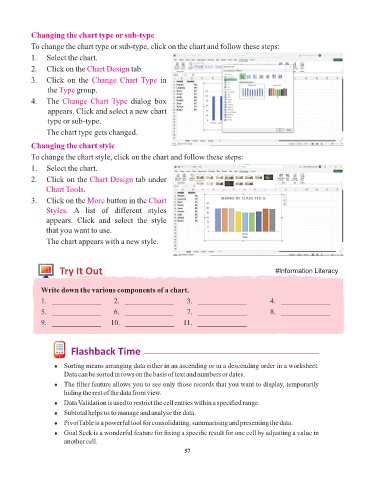
            To change the chart type or sub-type, click on the chart and follow these steps:

            1.   Select the chart.
            2.   Click on the Chart Design    tab.

            3.   Click  on  the  Change  Chart Type     in
                 the Type   group.
            4.   The  Change  Chart Type      dialog  box
                 appears. Click and select a new chart
                 type or sub-type.

                 The chart type gets changed.

            Changing the chart style
            To change the chart style, click on the chart and follow these steps:

            1.   Select the chart.
            2.   Click on the Chart Design      tab under
                 Chart Tools.

            3.   Click on the More    button in the Chart
                 Styles.  A  list  of  different  styles
                 appears.  Click  and  select  the  style
                 that you want to use.
                 The chart appears with a new style.


                      Try It Out                                                                #Information Literacy


               Write down the various components of a chart.
               1.   _____________       2.   _____________        3.   _____________          4.   _____________

               5.   _____________       6.   _____________        7.   _____________          8.   _____________
               9.   _____________     10.   _____________     11.   _____________


                          Flashback Time

                    ¨  Sorting means arranging data either in an ascending or in a descending order in a worksheet.
                       Data can be sorted in rows on the basis of text and numbers or dates.
                    ¨  The filter feature allows you to see only those records that you want to display, temporarily
                       hiding the rest of the data from view.
                    ¨  Data Validation is used to restrict the cell entries within a specified range.
                    ¨  Subtotal helps us to manage and analyse the data.

                    ¨  PivotTable is a powerful tool for consolidating, summarising and presenting the data.
                    ¨  Goal Seek is a wonderful feature for fixing a specific result for one cell by adjusting a value in
                       another cell.
                                                                 57

