


Page 54 - Code Craft Computer-7
P. 54
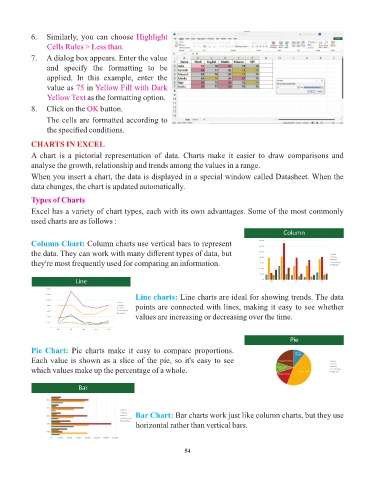
6.   Similarly, you can choose Highlight
                 Cells Rules > Less than.

            7.   A dialog box appears. Enter the value
                 and  specify  the  formatting  to  be
                 applied.  In  this  example,  enter  the
                 value as 75   in Yellow Fill with Dark
                 Yellow Text as the formatting option.

            8.   Click on the OK    button.
                 The cells are formatted according to
                 the specified conditions.

            CHARTS IN EXCEL

            A  chart  is  a  pictorial  representation  of  data.  Charts  make  it  easier  to  draw  comparisons  and
            analyse the growth, relationship and trends among the values in a range.
            When you insert a chart, the data is displayed in a special window called Datasheet. When the

            data changes, the chart is updated automatically.
            Types of Charts

            Excel has a variety of chart types, each with its own advantages. Some of the most commonly
            used charts are as follows :


            Column Chart: Column charts use vertical bars to represent
            the data. They can work with many different types of data, but
            they're most frequently used for comparing an information.


                                                Line charts:   Line charts are ideal for showing trends. The data

                                                points are connected with lines, making it easy to see whether
                                                values are increasing or decreasing over the time.


            Pie Chart: Pie charts make it easy to compare proportions.
            Each value is shown as a slice of the pie, so it's easy to see
            which values make up the percentage of a whole.


                                                Bar Chart: Bar charts work just like column charts, but they use
                                                horizontal rather than vertical bars.


                                                                 54

