


Page 36 - Code Craft Computer-8
P. 36
Extra Bytes
                               To remove a Primary Key, click on the Primary Key field in the Design View
                               and click on the Primary Key option in the Tools group on the Design tab.


            ENTERING DATA IN A TABLE
            After finalizing the structure of a table in Design View, you can add records to it in the Datasheet
            View.
            To enter data in a table, follow these steps:

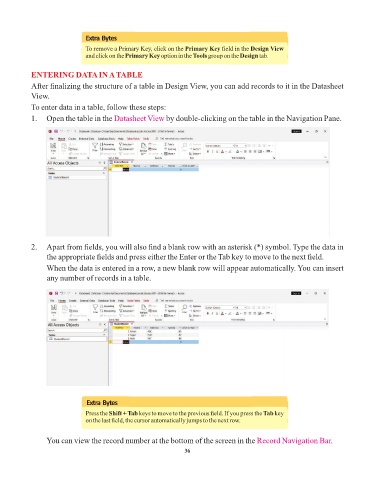
            1.  Open the table in the Datasheet View      by double-clicking on the table in the Navigation Pane.


            2.   Apart from fields, you will also find a blank row with an asterisk (*) symbol. Type the data in
                 the appropriate fields and press either the Enter or the Tab key to move to the next field.
                 When the data is entered in a row, a new blank row will appear automatically. You can insert
                 any number of records in a table.


                               Extra Bytes

                               Press the Shift + Tab keys to move to the previous field. If you press the Tab key
                               on the last field, the cursor automatically jumps to the next row.


                 You can view the record number at the bottom of the screen in the Record Navigation Bar           .

                                                                 36

