


Page 17 - Code Craft Computer-7
P. 17
•    The function name must be a valid Excel name. For example, SUM, AVERAGE.

            •    The function name must be followed by an opening and a closing parenthesis.
            •    The arguments are enclosed in the parentheses. For example         , =SUM (A1:A5).
            •    The function names are not case-sensitive.

            Using Insert Function Dialog Box

            You can use the Insert Function dialog box to insert the correct formula and arguments as per your
            requirements.
            To use the Insert Function   dialog box, follow the given steps:

            •    Go to the Formulas    tab.
            •    Click on the Insert Function    icon on the ribbon.

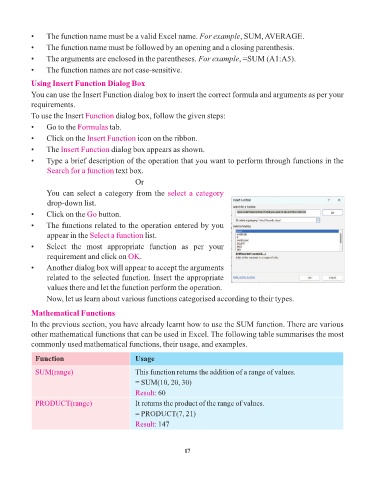
            •    The Insert Function   dialog box appears as shown.
            •    Type a brief description of the operation that you want to perform through functions in the
                 Search for a function text box.
                                                Or

                 You can select a category from the select a category
                 drop-down list.

            •    Click on the Go   button.
            •    The functions related to the operation entered by you
                 appear in the Select a function   list.
            •    Select  the  most  appropriate  function  as  per  your

                 requirement and click on OK     .
            •    Another dialog box will appear to accept the arguments
                 related to the selected function. Insert the appropriate
                 values there and let the function perform the operation.

                 Now, let us learn about various functions categorised according to their types.

            Mathematical Functions
            In the previous section, you have already learnt how to use the SUM function. There are various
            other mathematical functions that can be used in Excel. The following table summarises the most

            commonly used mathematical functions, their usage, and examples.

             Function                           Usage

             SUM(range)                         This function returns the addition of a range of values.
                                                = SUM(10, 20, 30)
                                                Result: 60
             PRODUCT(range)                     It returns the product of the range of values.

                                                = PRODUCT(7, 21)
                                                Result: 147


                                                                 17

